
Buyer guide
How to Choose the Right ICU Bed for a Hospital
A practical way to match ICU bed functions, controls, components, and project information to a hospital purchasing requirement.
Start With the Hospital’s ICU Bed Requirement
Choosing an ICU bed starts with a clear description of what the hospital needs. A product labelled ICU bed may be relevant, but the label alone cannot tell a purchasing team whether its adjustments, controls, and components fit the project. The useful next step is to turn the hospital's requirements into questions that can be answered for specific products.
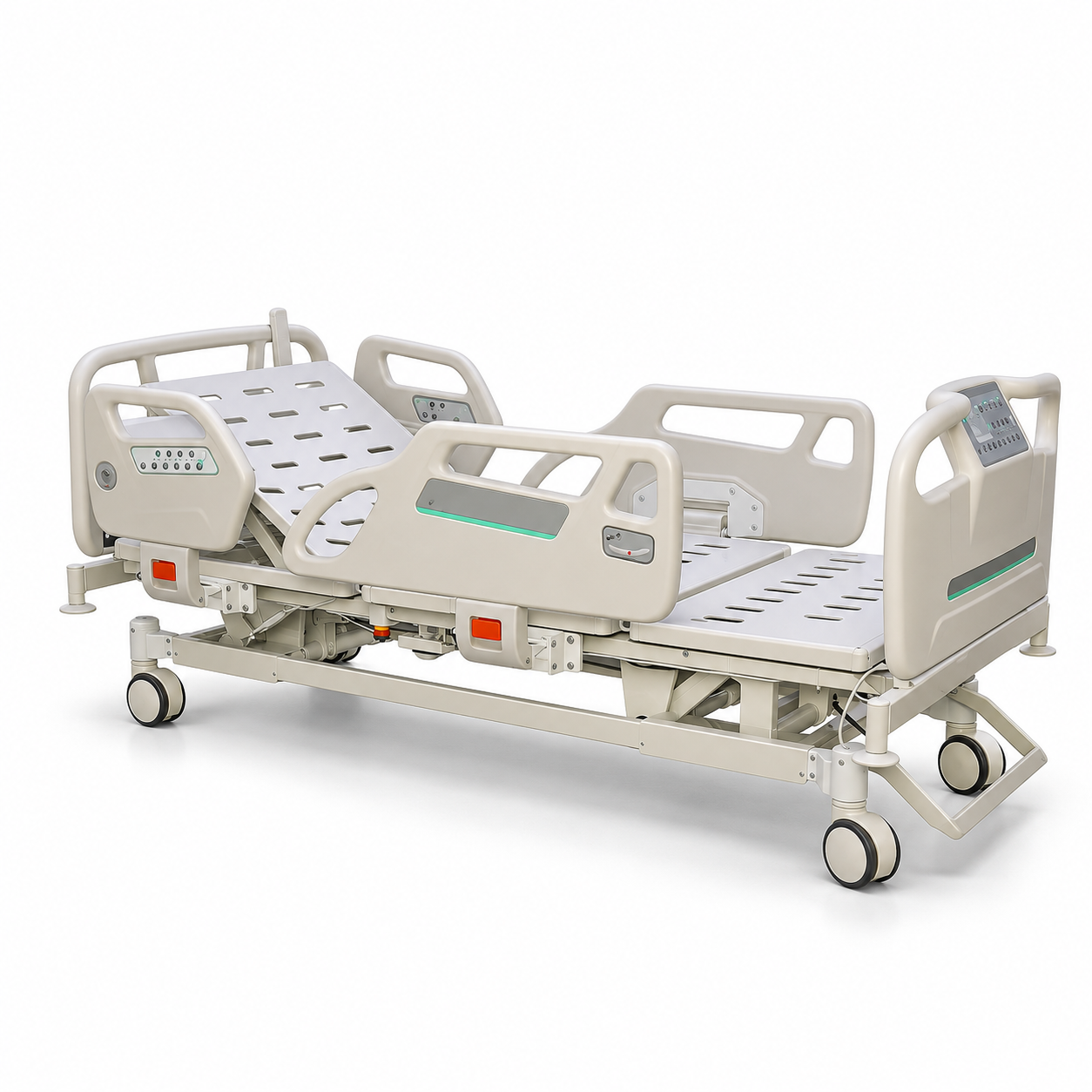
Grace Medy currently presents five-function electric beds in its ICU Hospital Beds collection. That gives buyers a focused place to begin. The right choice still depends on which functions the hospital requires and what each shortlisted model includes. Before comparing products, write down where the beds are intended to go and how many are being considered. A hospital may be reviewing beds for one area or preparing a purchase that covers several rooms. Recording the planned quantity and intended area gives the supplier a more useful starting point than a request that says only we need ICU beds.
Next, separate essential requirements from preferences. A team may already know which bed adjustments it needs to review. It may also have questions about controls, side rails, movement within the room, or the information required for delivery. Put these points into the request before browsing too many models. A short, clear list helps colleagues compare the same things on every product page.
Consider a general planning example. A purchasing team has been asked to find ICU beds, but its initial note contains no product details. The team speaks with the people responsible for the purchase and records the required adjustments, any preferred control arrangement, the number of beds, and the planned destination. This is an illustrative example, not a customer project. The team can now review products against a shared requirement instead of choosing from photographs alone.
Match the Required Adjustments to Supplier
Send the required adjustment list to the supplier and ask which current models provide those movements. This turns a broad search into a model-specific discussion.
Grace Medy's published Electric Critical Care Bed is one example of a five-function electric product. Its page lists back-rest and knee-rest adjustment, height adjustment, and two directions of whole-bed tilt. These are useful details for comparing the model with a requirement. They describe that product; they should not be copied into the specification of every bed in the category.
A buyer can ask the supplier to identify each required movement on the proposed model's current product sheet. If an adjustment is listed, note its name and the model to which it belongs. If the published page does not answer the question, request confirmation. This is especially helpful if several products are being discussed in the same email. Keeping each answer beside its model prevents details from one bed being carried into another.
The number of functions should support this review, not replace it. Two products described with the same function count may still need separate checks. The guide How Many Functions Does an ICU Bed Need? explains how to read a function count and distinguish bed movements from control buttons or presets. Here, the purchasing task is to take the hospital's required movements and find models that can be discussed against them.
Review Controls and Bedside Components
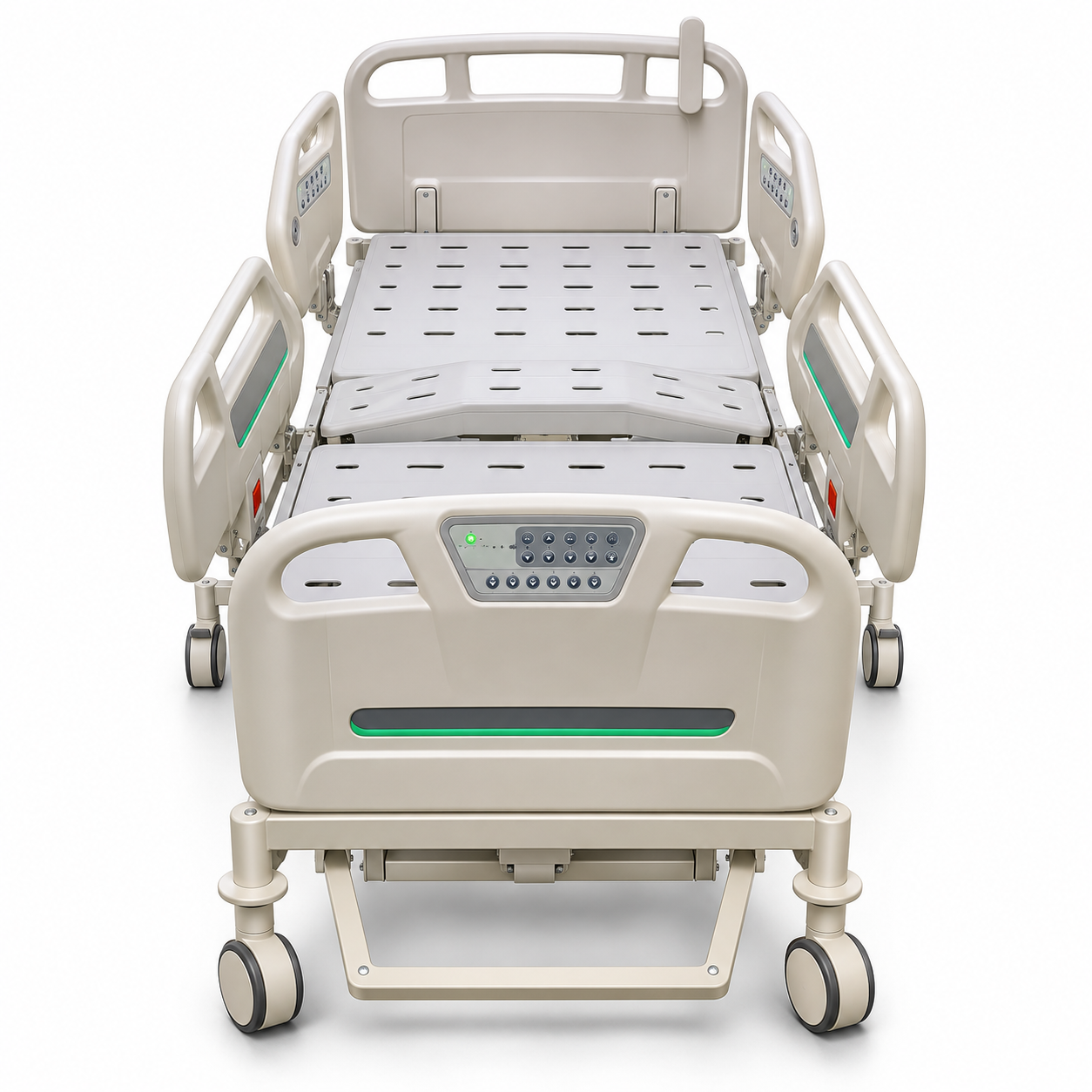
Once required movements are clear, examine how each selected bed is controlled. Ask the supplier to identify the current control arrangement for that model.
Controls are also different from function counts. One button may operate a preset action, while a named function describes a bed adjustment. If a control arrangement matters to the hospital, include it as a separate comparison point. Ask for the current description of the controls on each shortlisted bed, along with any information needed to understand their operation.
Then review the visible bedside components. Side rails, head and foot boards, casters, and brakes can vary between models. A photograph helps a buyer see their general arrangement, but it may not confirm the final configuration offered for an order. Record what the current product page states and ask about any important point that remains unclear.
Side rails deserve their own line in the comparison. Their material and folding arrangement may affect which product the team wants to examine further. The article How to Review Hospital Bed Side Rails shows how to approach this component without assuming that every hospital bed uses the same rail. The broader guide to hospital bed parts can help the team name other components it needs to check.
Check the Product Information That Affects Project Fit
A bed may look suitable in a function comparison and still need more review. Compare the selected product's published dimensions with the planned room and access route. Figures from another bed cannot answer this question.
Power information can matter for an electric bed. The team should request the applicable product details for the destination and planned installation. The same principle applies to accessories. If the hospital expects a particular item to be included, ask whether it belongs to the selected configuration. A product image may show an accessory without establishing what is included in every offer.
Packaging and delivery information become useful as the purchase moves forward. A buyer preparing a quotation request may need to ask how the selected bed is packed and which information is available for shipment planning. These details belong to the proposed product and order configuration. They should be confirmed with the supplier instead of estimated from a photograph or a different model.
The Hospital Bed Size Guide offers background on why measurements need model-level review. The article about hospital bed weight makes a similar distinction between product weight and shipping information. Neither article replaces the current figures for the ICU bed the hospital is considering.
Build a Shortlist From Specific ICU Bed Models
After the first review, select two or three relevant models from the ICU Hospital Beds collection. Give each model its own product link, function list, component notes, and unanswered questions. A small shortlist is easier to discuss with colleagues and with the supplier than a collection of similar images.
Use the same comparison points for every candidate. Record the movements listed for each model, the controls and components confirmed in its current information, any available measurements and documents, and the questions that remain for the supplier. The comparison is a working tool, not a product claim. If a detail is unavailable, leave it as a question. A blank entry is easier to resolve than an incorrect assumption.
The existing article How ICU Beds Differ From Standard Hospital Beds helps buyers compare broader product directions. A shortlist moves one step further: it compares actual ICU bed candidates against the hospital's own requirement. At this stage, the buyer should be able to explain why each model remains under consideration.
Send a Clear ICU Bed Inquiry
A useful inquiry names the shortlisted models and describes what the hospital still needs to know. Include the intended use area, planned quantity, destination, and required adjustments. Add questions about controls, bedside components, dimensions, accessories, packaging, or documents where those details affect the decision.
Send the product links with the questions. If several models are being reviewed, ask for answers under each model name. This helps the purchasing team compare the responses later and keeps the discussion connected to the correct bed. The team can also state which points are essential and which are preferences still being considered.
The answer to how to choose the right ICU bed is a sequence the team can use: define the requirement, discuss the required adjustments with the supplier, examine controls and components, check project details, and compare specific models. That process brings the hospital closer to a purchase decision without relying on a category label alone.
Once the shortlist and questions are ready, contact Grace Medy to request current information for the selected ICU beds. A focused request gives the supplier enough context to respond to the hospital's actual needs.
Continue your product review
Explore ICU hospital beds · Understand ICU bed functions · Discuss selected ICU bed models